Direct link to the species list of the data catalog: LAUP – Species List
Contents
- Search parameters
- Results list
- Detailed view
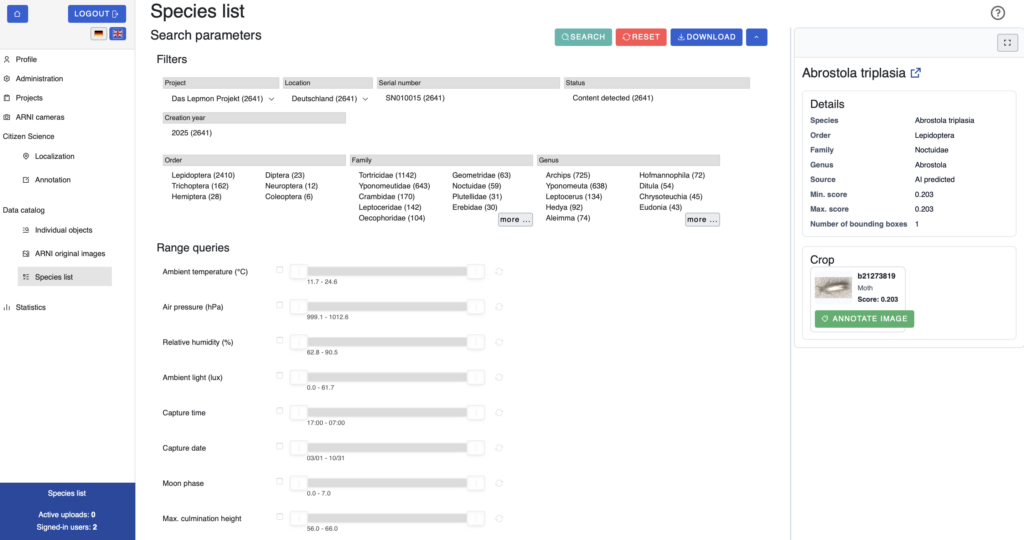
The species list provides an overview of all taxa recorded in the data catalog to date. Filters and range queries can be used to narrow down the data, for example by taxon or environmental conditions. The data found can then be downloaded directly.
Search parameters
The search parameters can be expanded or collapsed with the arrow icon in the top right corner. The filters are divided into several categories: project, location and serial number, status, year of creation, as well as order, family and genus. Within a category, multiple values can be selected simultaneously. The search is started by clicking the “Search” button and the “Reset” button clears all filters. Data found can be downloaded via “Download”.
In addition, under “Range queries” sliders are available to narrow down the results by ambient temperature, air pressure, ambient light and other factors.
Results list
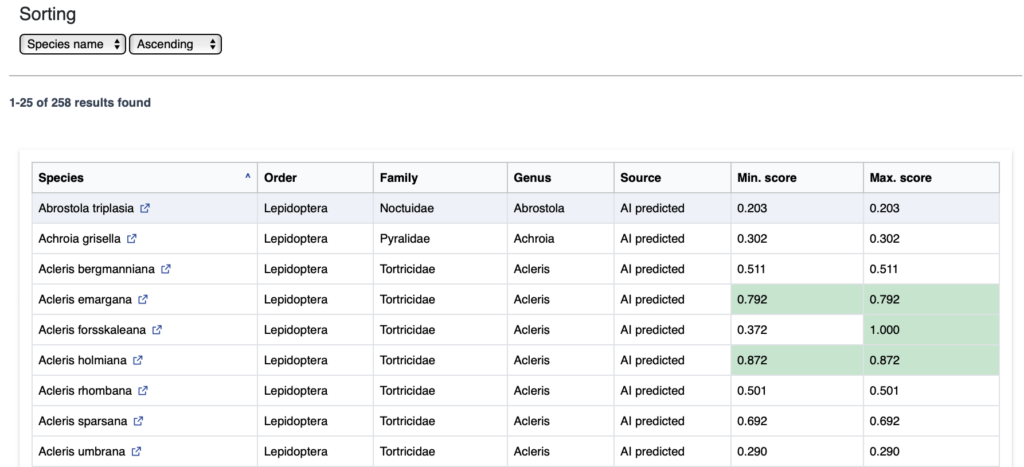
Below the search parameters, the taxa found are displayed in a table, which can be sorted by any of the table’s columns (e.g. species name). For each species, the order, family, genus and source of the classification are shown. The corresponding minimum and maximum scores indicate how likely the classification is. Rows with particularly high scores are highlighted in green.
Detail view
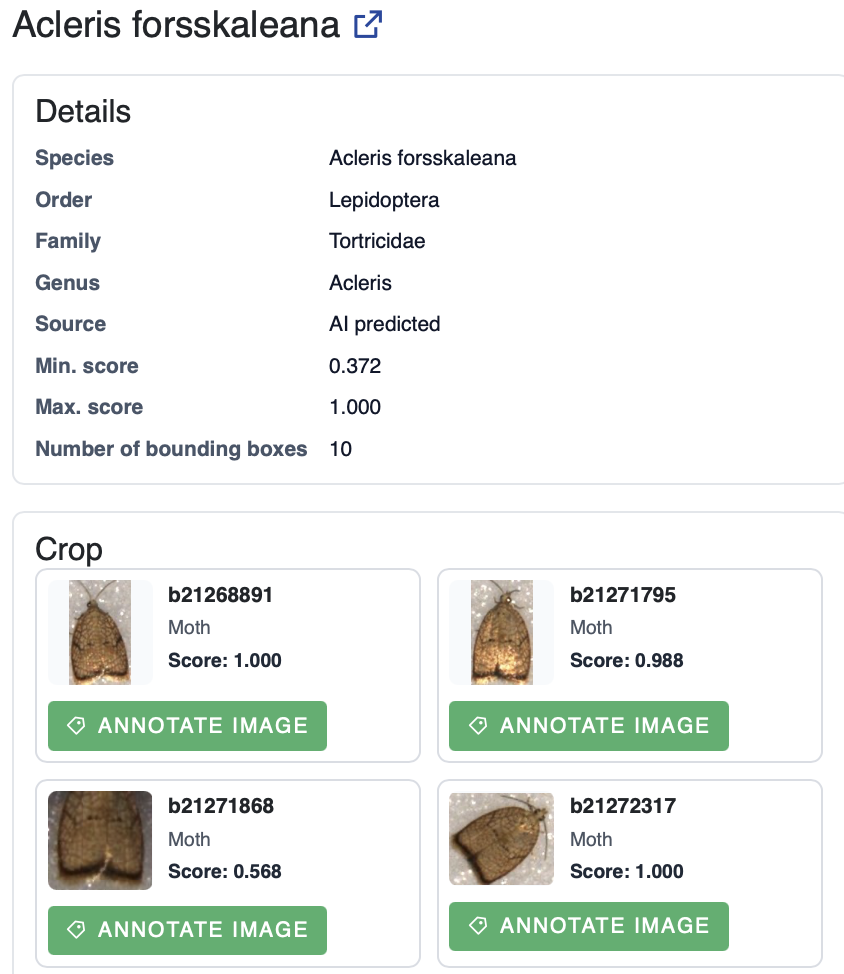
Clicking on a species opens the detailed view on the right. It shows information about the species which can also be found in the corresponding row of the table, as well as the number of associated bounding boxes. A section with a preview image is displayed below this. Clicking on “Annotate image” takes you directly to the annotation of the relevant section.