Content:
- Information
- Statistics
- Change password
- Request expert status
- Downloads
- Settings: Localization and annotation
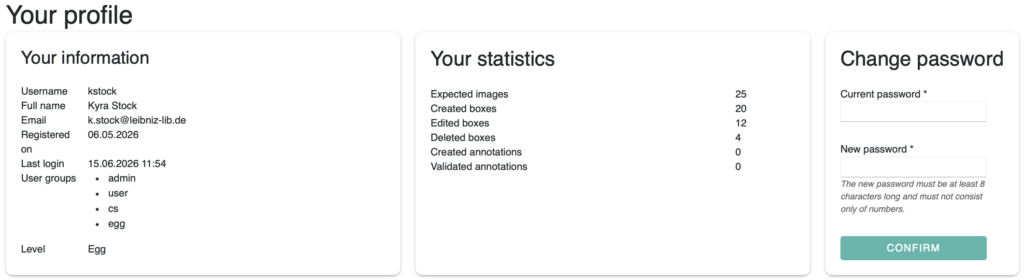
Information
Under “Information”, you can view your account details: username, name, email address, registration date and last login. You can also see the user groups you have been assigned to and your current level.
Your level increases with greater activity: from egg to larva to adult
Statistics
Under “Statistics”, you can see and overview of your own activity: the number of images processed, frames created, edited and deleted, as well as annotations made and confirmed by experts.
Change password
You can change your password at any time. To do so, enter your current password, then enter and save your new password. The new password. The new password must be at least 8 characters long and must not consist solely of number or letters.
Request expert status
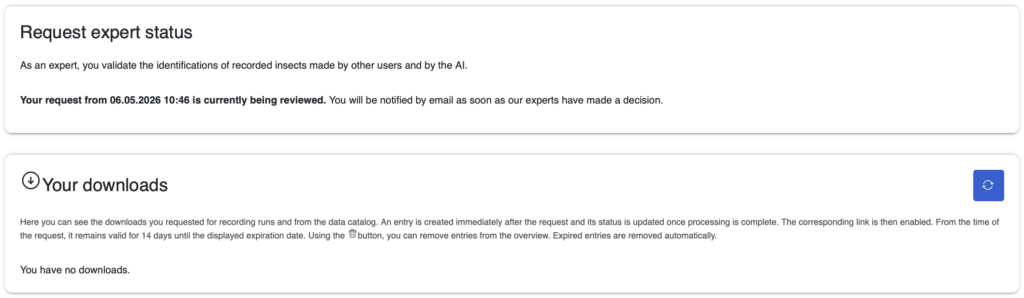
As an expert, you validate the identifications of recorded insects made by other users and AI. You can submit your application via “Your profile -> Request expert status”. One submitted your application will be reviewed and you will receive an email regarding the decision.
Downloads
The requested downloads for recording runs and from the data catalogue can be viewed here. An entry is created immediately after the request is made, and the status is updated once the process is complete. The relevant download link is valid for 14 days from the time of the request. Expired entries are automatically removed; individual entries can be manually deleted using the bin icon.
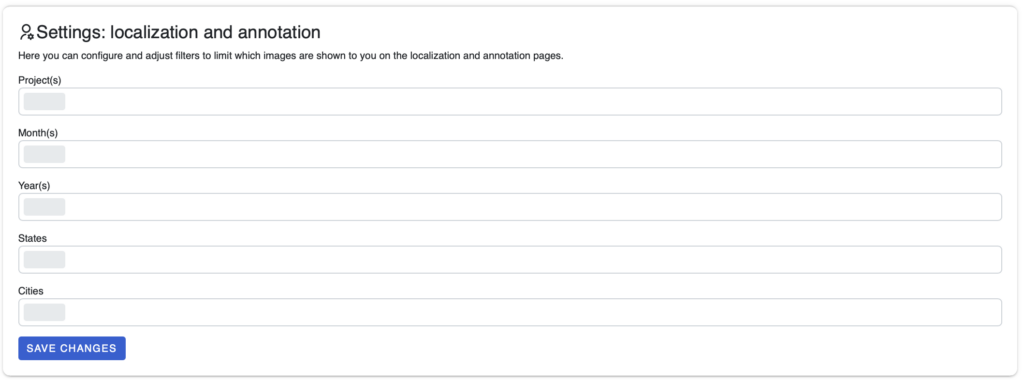
Settings: Localization and Annotation
Here, filters can be set to restrict which images are displayed on the localization and annotation pages. You can filter by “Project(s), Month(s), Year(s), States” and “Cities”. Changes are applied by clicking “Save changes”.